


General General contact, jobs, news, sitemap
Our mission is to provide a world-class transportation experience that delights our customers and promotes a prosperous Missouri.

Missouri Highways and Transportation Commission
Project Bid Opening Info
Contact Us
Map Request
MoDOT Express Lane
MoDOT
Central Office
105 W. Capitol Avenue
Jefferson City, MO 65102
1-888 ASK MODOT
(1-888 275 6636)
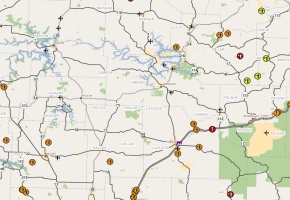
Tips for using the Traveler Information Map
 

Here are some helpful frequently asked questions and answers for using MoDOT's Traveler Information Map


1.  I don't want to see everything, just road conditions (or work zones, or flooding, or incidents, etc.)

On the left-hand side of the page, you'll see small check boxes next to the different "layers" of information displayed by the map. Make sure only the layers you want to view are checked.  If you don't want to see a layer, make sure the box is unchecked.  Fewer checked layers will help the map load faster, too. Closed routes (the red icons) are automatically loaded no matter what the reason for the closure.

2. Icons are so densely stacked in one area you can't see what's under them.

This occurs during some flooding situations and in certain work zone areas. The best solution is to zoom into an area until the scale of the icons allows them to "spread out."  Simply double click on the portion of the map you want to see better.  The application will automatically zoom to that spot and the icons on the lower layers will be easier to reach.

3.  I just need information on my local area, not the whole state.

There are several ways to refine your view.  On the left side of the page you will see a scroll bar that offers more navigation options.  Use the pull down menu to view by county, city, MoDOT district or to highlight a route.

4. I'm a dial-up user. Can I still use the map?

Yes.  The first time you visit, it will load slowly so be patient.  Once the map segments have loaded to your computer from Google, your next visit should go quicker.  Also, some dial-up users using Internet Explorer may not have their browser properly configued.  Follow these instructions to make sure your browser is set up correctly.  Note: On rare occasions some versions of Norton Internet Security and McAfee Antivirus have difficulty with javascript in Internet Explorer. Make sure your Internet protection software is up-to-date. You can even temporarily disable it to view the map.


CONTACT CONTACT CAREERS CAREERS NEWS NEWS SITEMAP SITEMAP